
Tools around Worlds
Worlds is a workspace on your computer: pages, documents, tables, drawings and presentations. Around it are tools that let Claude work with you inside it, connect it to other programs, and send your pages on time. Here is a quick look at each.
Claude inside Worlds
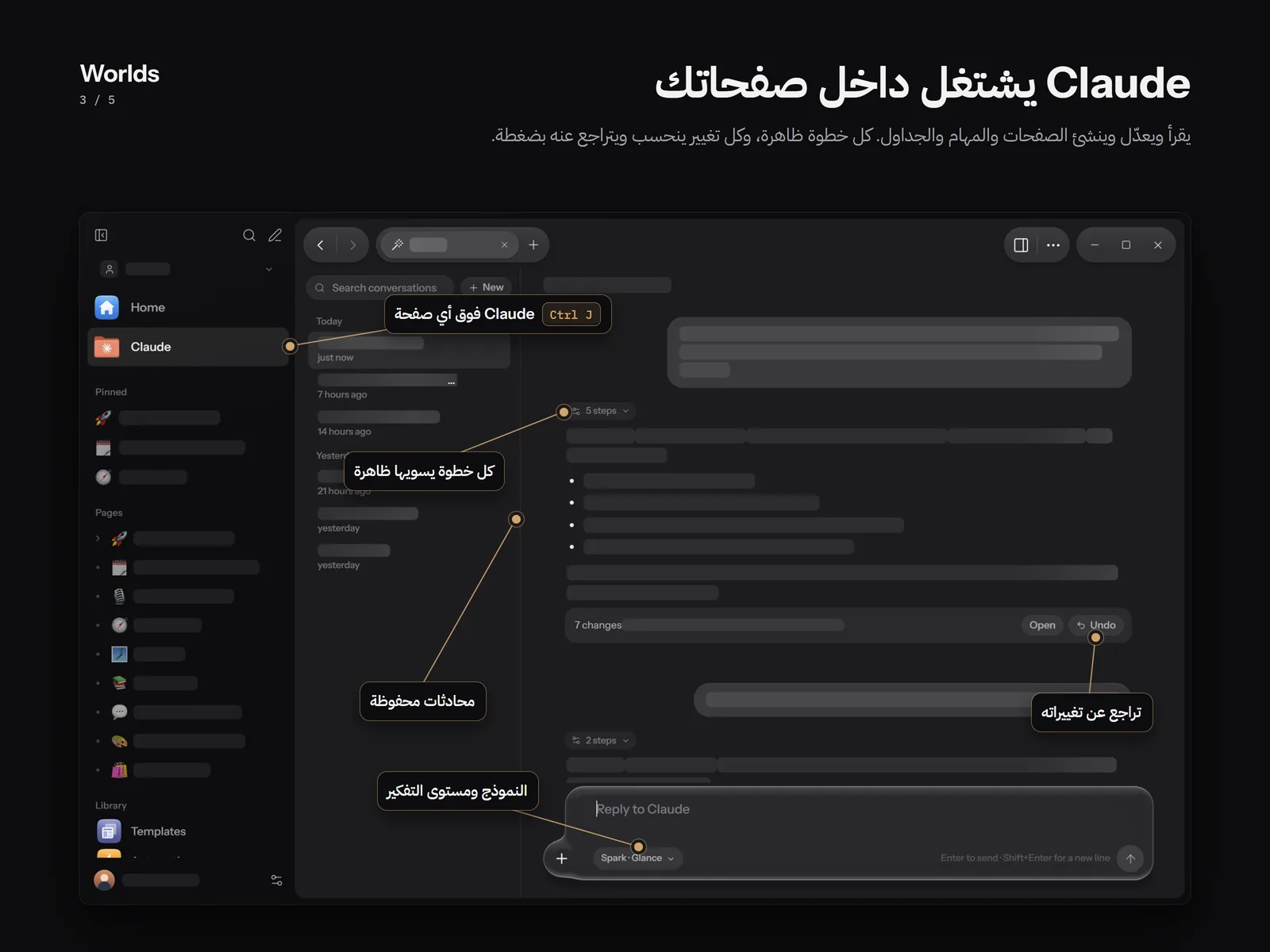
An assistant that reads your pages, writes in them and reorganises them, and every change it makes can be undone with one click. Run it with Claude Code or Codex, with an API key from Anthropic, OpenAI, Gemini, Groq, DeepSeek, Mistral, xAI or OpenRouter, or with a model on your computer through Ollama or LM Studio. It edits pages on Windows and Android, and only chats on iPhone, iPad and Mac for now.
The MCP server
Lets Claude Code, or any program that speaks MCP, use the Worlds tools on your computer: pages, blocks, tables, drawings, presentations, automations, templates and history. Register it with one click in Settings or with one command, and a version is saved before every write.
HTML pages
A page whose content is one HTML document running in a sandbox with no internet: a calculator, a tracker or a designed report. It keeps its data with worlds.save, and Claude can write it for you. Coming in a future release.
The Discord bridge
Send a page to a Discord channel, thread or DM, with a preview before sending. On Windows it goes through your own bot, and on Android through a webhook URL. Anything Claude or an automation prepares waits for your approval.
Automations
Send a page on a schedule: once, daily, weekly or monthly. Claude can prepare it before sending, or on Android it can be summarised with AI and shown as a notification.
Packs
Optional features for what you use Worlds for. The Study pack is available now: subjects, a class timetable, assignments and exams. Other packs for work, community and personal life are being built.