

Docs / Account and sharing
Profile and Activity
Your profile is a page about you: your name, avatar, a banner, a bio and links, and blocks that show what you are working on. Activity is a log of what changed in your workspace, and the place where requests wait for your approval.
Profile
Open it from the card at the top of Settings: "Profile, banner and blocks".
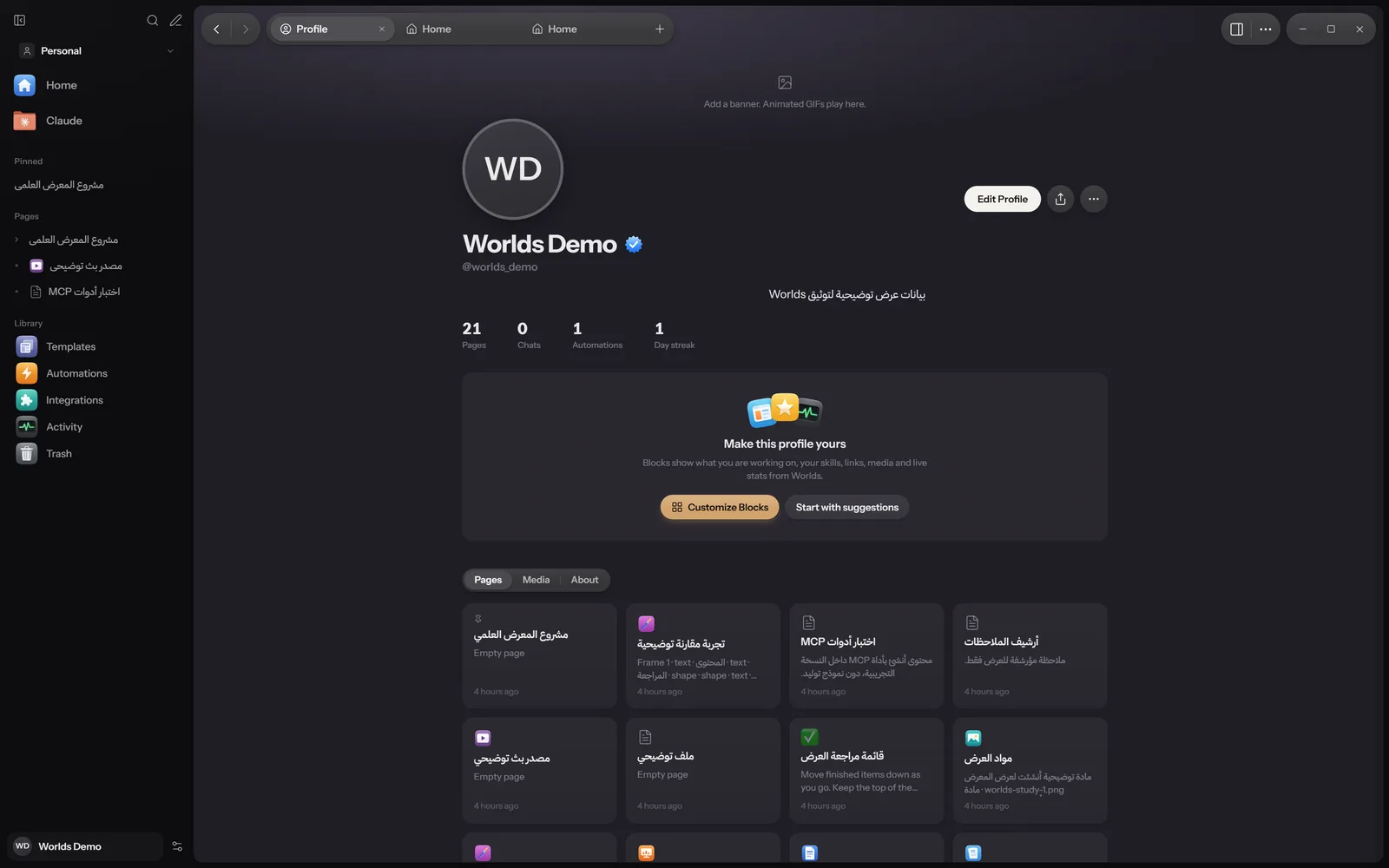
What the page shows
- The banner at the top: an image, and animated GIFs play here.
- The avatar, your name and your username after
@. - A status: a short line with a presence dot.
- Your bio, location and links.
- Numbers from your work: Pages, Chats, Automations and Day streak.
- Blocks, then the Pages, Media and About tabs.
Editing the profile
Click Edit Profile. The fields:
- Name
- As shown on your profile and when you share pages
- Username
- Also your account username
- Status
- Up to 80 characters
- Bio
- Up to 400 characters
- Location
- Your city, or whatever you like
- Links
- A label and an address for each
From the more button (...): Customize Blocks, Add banner or Change banner, Adjust banner area, Change avatar and Adjust avatar, Liquid Glass background or Solid background, and Appearance and language. Accepted images: GIF, PNG, JPG, WEBP and AVIF.
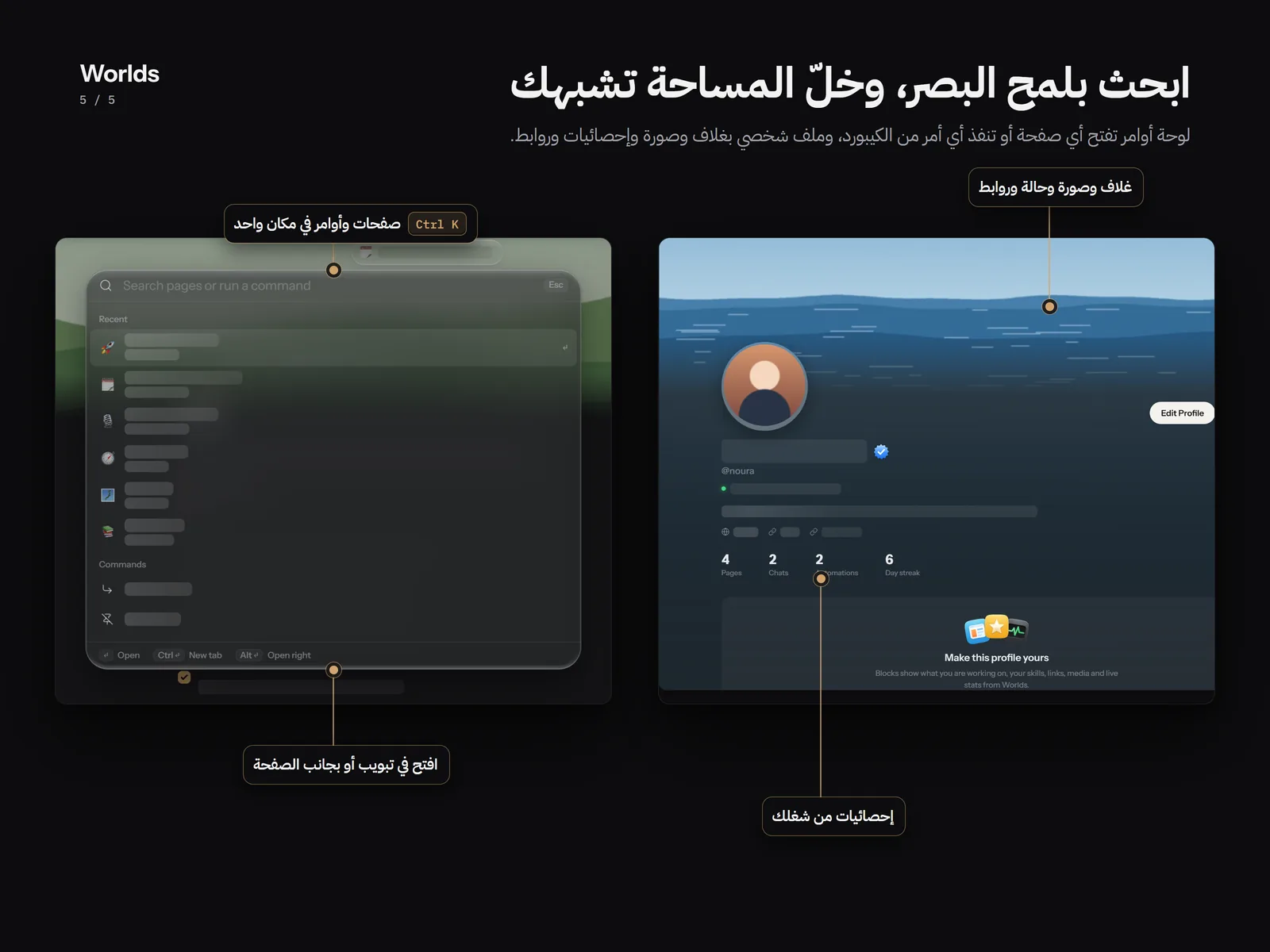
The share button next to Edit Profile copies a profile card you can paste anywhere.
Blocks
With no blocks you see "Make this profile yours", with Customize Blocks and Start with suggestions.
- Up to 12 blocks, and the first 3 are marked Featured.
- Types: Info, Progress, Statement, Grid, List, Media, Frame, Fields, Links, Badges and Live.
- A Live block shows live numbers from Worlds: today's session, your streak, the last 4 weeks, your latest page, and the Discord bot's status.
- Each block has a style and a size you choose.
The About tab
It shows your location and local time, when you started, roughly how many words you have written, your edits in the last 7 days, your links, and an activity map titled Last 4 weeks.
Your profile is kept on your device and is not published. In the web version it is kept with your workspace on your account. Its username is the same as your account username.
Claude can also edit your profile: status, bio, links, images and blocks, and every change can be undone.
Activity
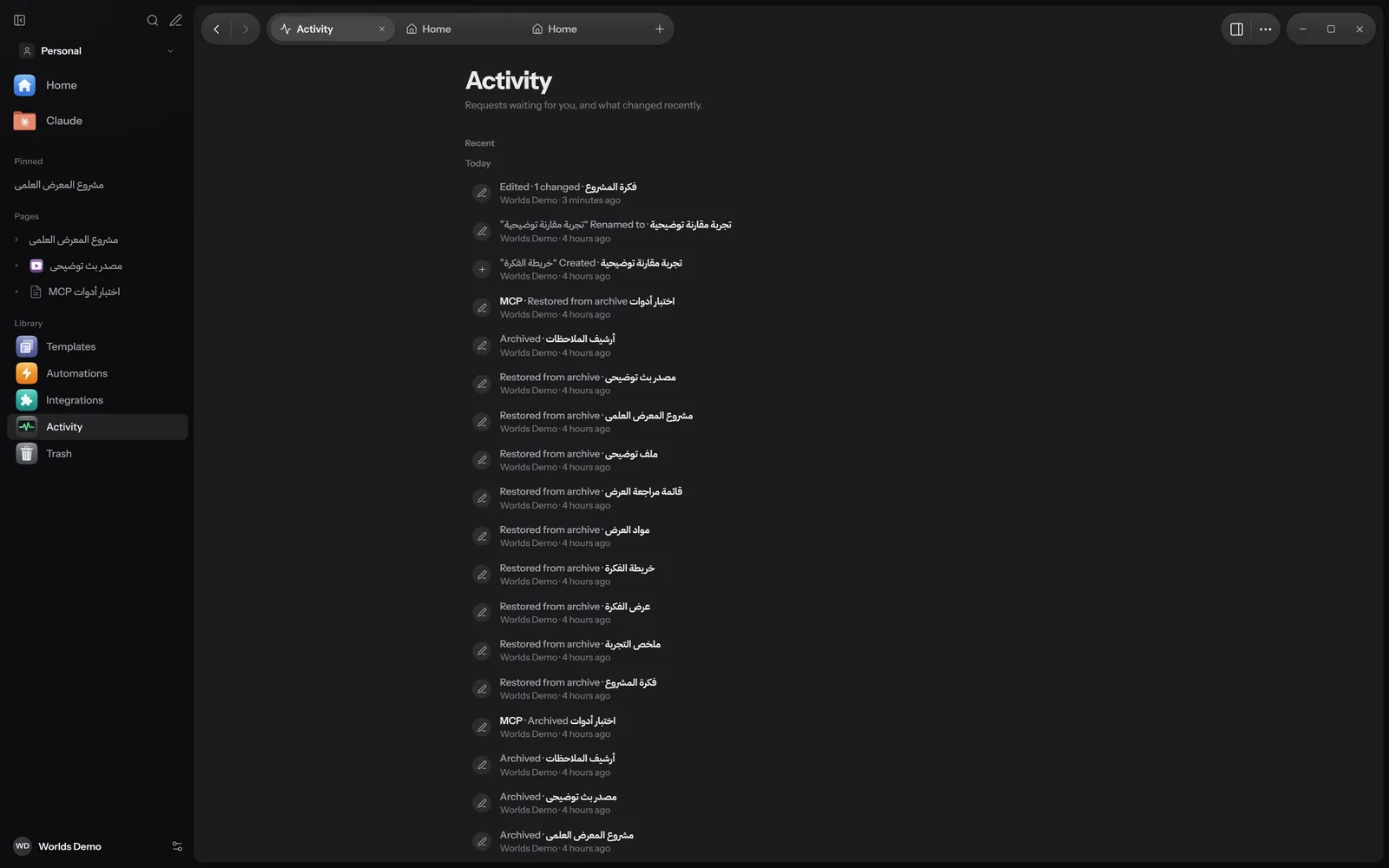
Open Activity from the sidebar or the command palette. Under the title: "Requests waiting for you, and what changed recently."
Needs approval
Requests to send to Discord that Claude or an automation prepared appear here. Each has a preview, Approve and send and Decline. Nothing is sent until you approve. While requests wait, Needs approval appears in the sidebar with a count. See The approval queue.
Recent
- The last 150 changes, grouped under Today, Yesterday or the date.
- Each line names the page and what happened (created, edited, renamed, moved, archived, restored, deleted, sent to Discord, properties or profile changed), then who did it: you, Claude or an automation, and when.
- Click a line to open the page.
The log is kept on your device in the Worlds database. To undo a particular change, open the page and use its History panel. See History and versions.